

Compatibility
Your platform plugins keep working.
OpenBridge runs Homebridge platform plugins, unchanged, through a compatibility layer. You install them from the marketplace, set them up from the form built from their own config.schema.json, and their accessories reach Apple Home through the OpenBridge bridge.
Not everything carries over yet. Accessory plugins (the older registerAccessory kind) and child bridges are not supported. Check the compatibility list before you move.
Side by side
What is the same, and what is not.
What both do
- Bridge to Apple Home. Devices that are not made for Apple Home appear in the Home app as ordinary accessories, bridged over your own network.
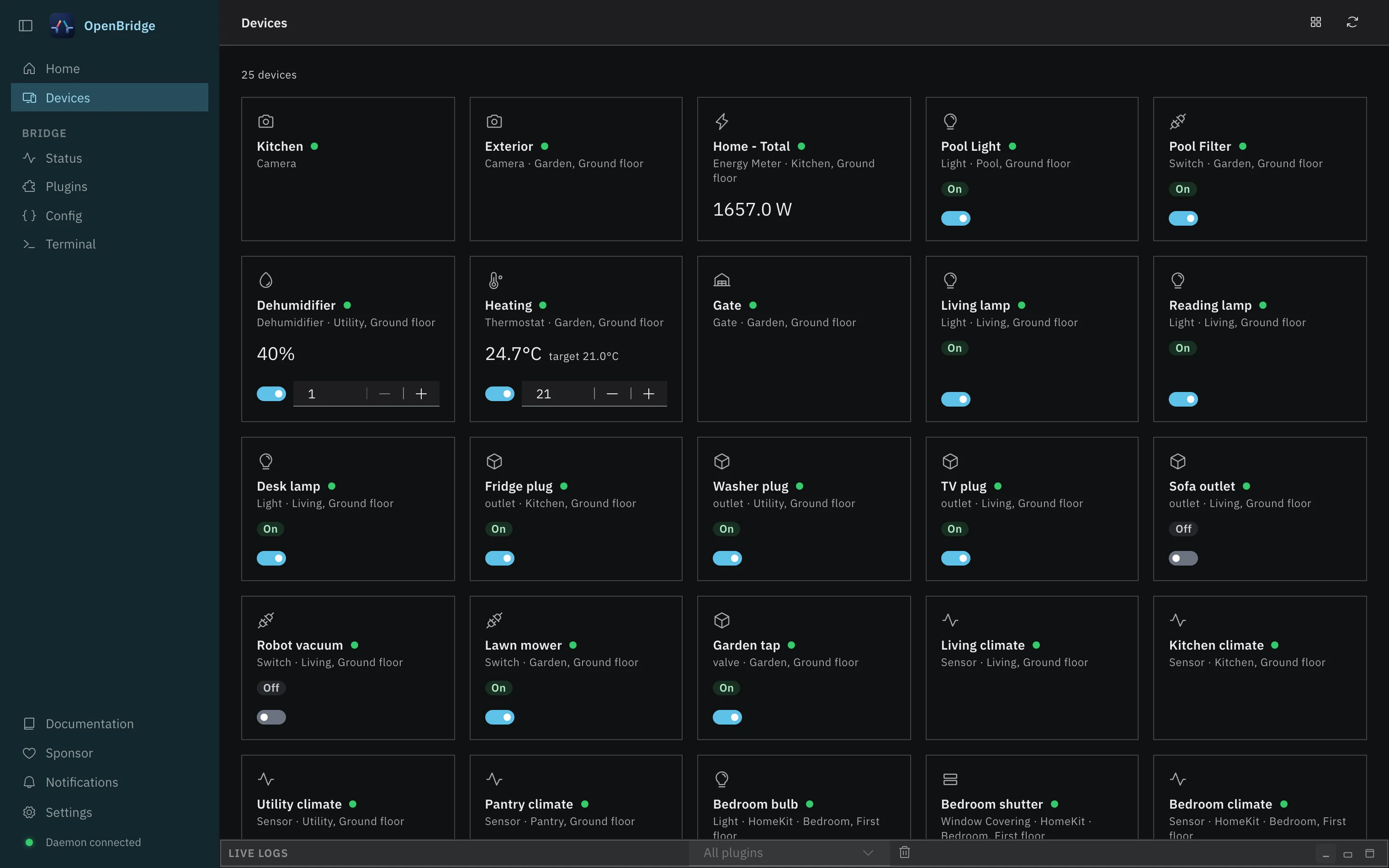
- A web dashboard. Install plugins from npm, set them up from forms built from each plugin's settings, and follow live logs or open a terminal, all from the browser.
What OpenBridge adds
- A plan of your home. Draw your floors and every device sits where it really is, in 2D or 3D, showing what it is doing now: lights glow in their rooms, shutters show how far they are open, and heating water flows out and back through the radiators.
- History on the bridge. Each device keeps its own readings, such as power, energy, temperature and humidity, for up to five years, with the peaks kept rather than averaged away.
- A say over what reaches Apple Home. Every device has its own Expose to HomeKit switch, so a device can be watched in OpenBridge without appearing in the Home app twice.
- Devices already in Apple Home, on your plan. The Matter plugin joins Matter devices you paired with Apple Home as a second controller and reads their state, while they stay in Apple Home exactly as they are.
- Native plugins. Besides Homebridge plugins, OpenBridge has its own typed plugin SDK. Nubisco's Tuya, Shelly, WiZ, camera and Matter plugins are built on it.
- An open marketplace. Homebridge and OpenBridge plugins in one directory, with public ratings, written reviews and questions.
- Ask about your home. An optional MCP endpoint, off until you turn it on, lets an AI assistant you choose read device state and history, with a token or a sign-in you approve.
What Homebridge does better today
- Maturity. Homebridge has run in a great many homes for years, with thousands of plugins and a large community behind it. OpenBridge is young, and its plugin API may still change between releases.
- Every kind of plugin. Accessory plugins and child bridges both work in Homebridge.
- Verified plugins. The Homebridge team reviews plugins against its guidelines and marks the ones that meet them as verified.
OpenBridge is an independent project by Nubisco, not affiliated with or endorsed by Apple or the Homebridge project. Apple, Apple Home and HomeKit are trademarks of Apple Inc., registered in the U.S. and other countries.
Migration
Moving over, one plugin at a time.
OpenBridge does not import a Homebridge setup. It is a new bridge, so you pair it with the Home app once, and its accessories arrive in Apple Home as new ones. Rooms, scenes and automations that used the old accessories need setting up again.
- Install OpenBridge with Docker, Homebrew or
npm install -g @nubisco/openbridge. - Add it in the Home app with the QR code or setup code on its Status page.
- For each plugin, install it from the Plugins page, copy its settings across, then remove it from Homebridge so its devices are not bridged twice.
- When the last plugin has moved, remove the Homebridge bridge from the Home app.