




Stagewright app iconStagewright

The soundnever waits.

Your whole rig on one Mac. Songs change without a click, and the audio keeps playing even if the editor falls over.

The full Studio edition, free for 30 days. No account, no card. macOS 11 or later.

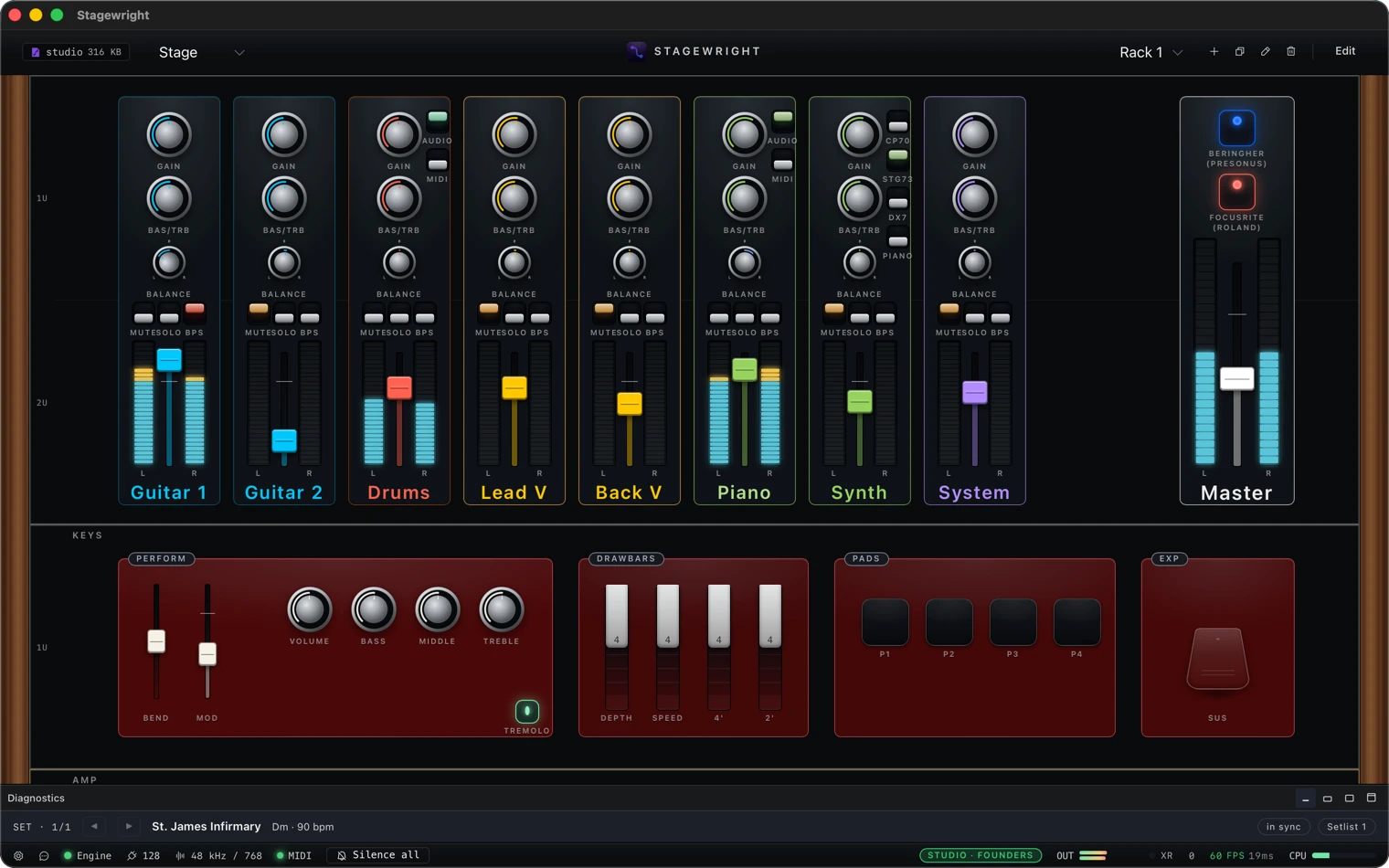
Stagewright's Stage view on a laptop: eight channel strips with live meters, a keys rack and a master section
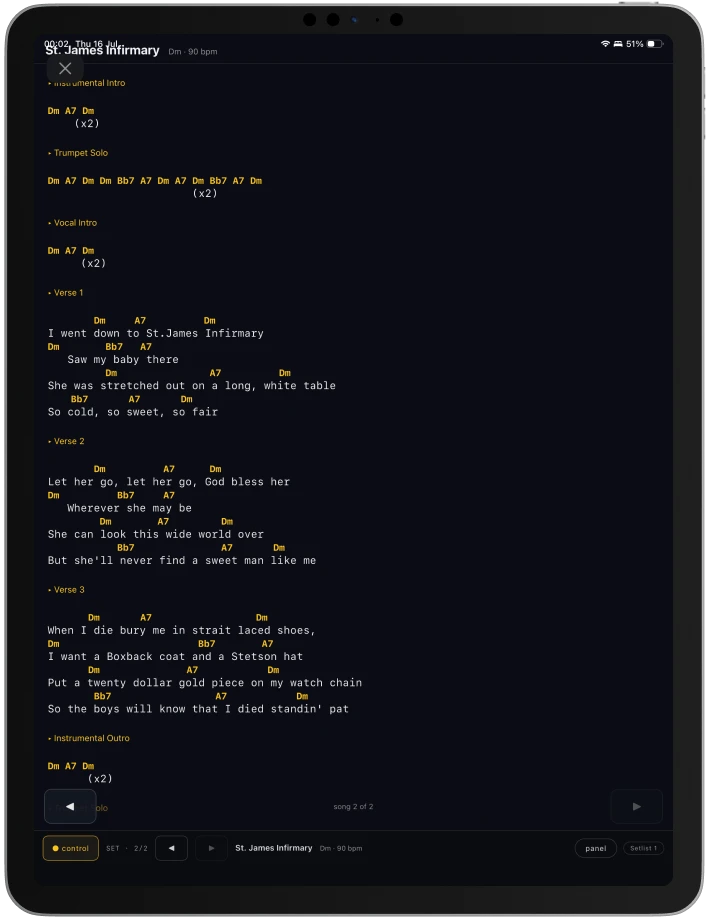
The song's chords and lyrics on an iPad, served by Stagewright over your own Wi-Fi

On stage

Built for real time. All of it.
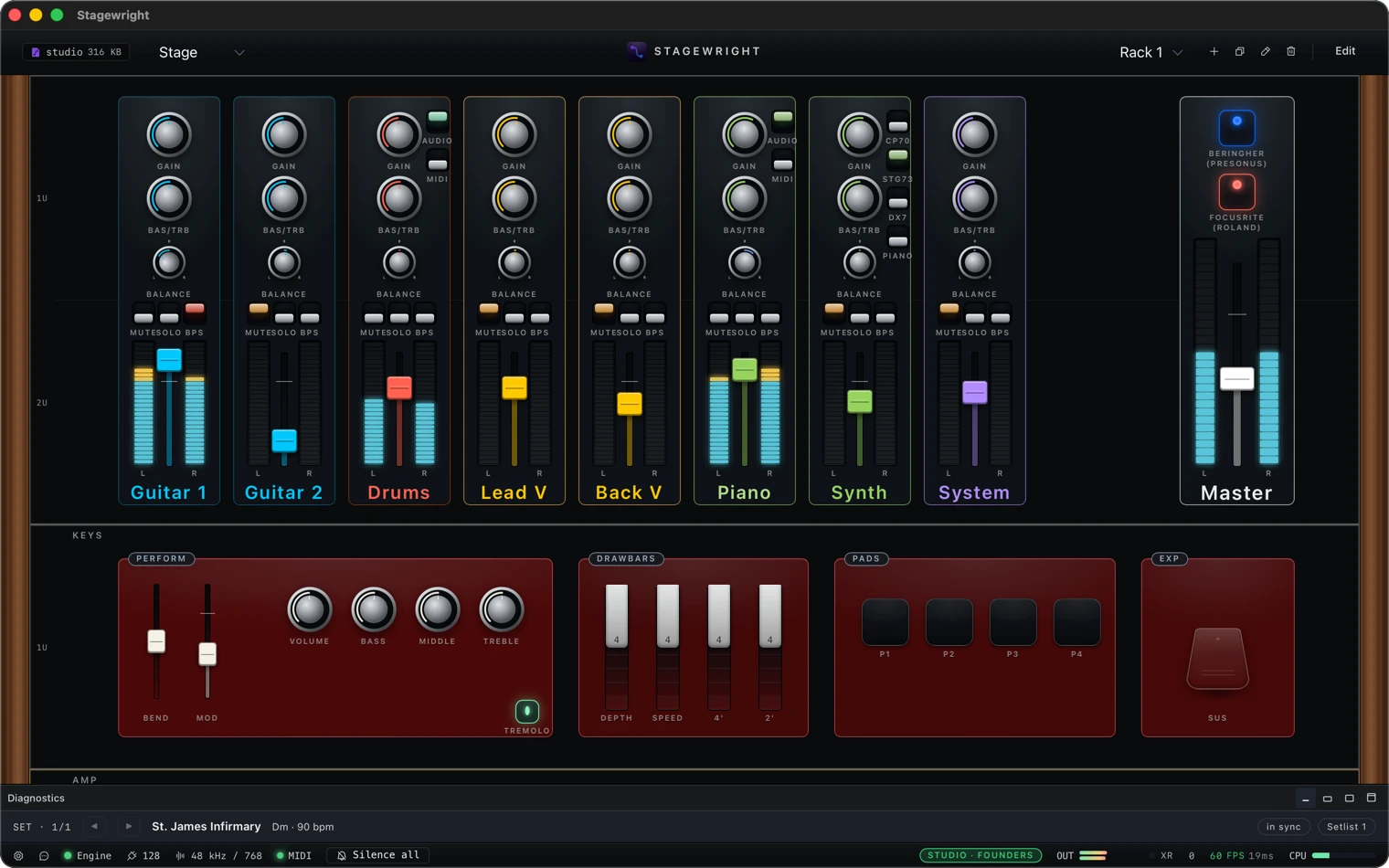
The Stage view: eight coloured channel strips with live meters, a master, and a red keyboard rack with drawbars, pads and an expression pedal

Your audio runs in its own native process. A frozen editor or a plugin scan cannot touch it. The song keeps going.

Songs and setlists

Rehearse once. The sound follows the setlist.

Each song holds your whole sound. Step to the next one and it glides there without a click, without reloading a plugin. Step the set from a foot controller, or from the iPad on your music stand.

Own it from $99
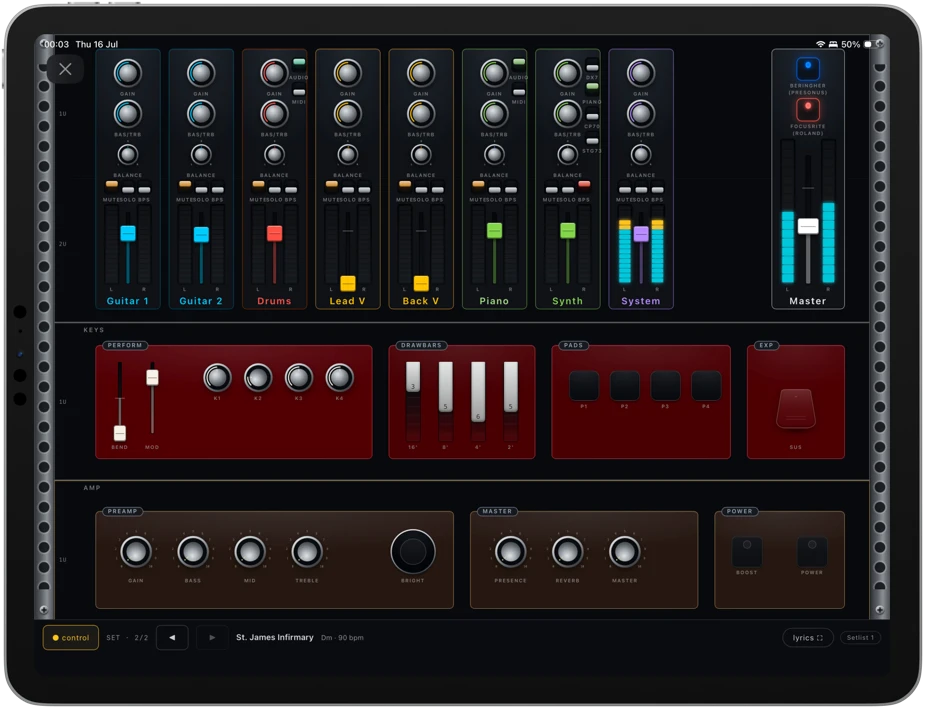
Stagewright's Stage view on an iPad over Wi-Fi: the channel strips, the red keyboard rack, the amp, and the setlist arrows for St. James Infirmary

Wiring

Your whole rig. One laptop.

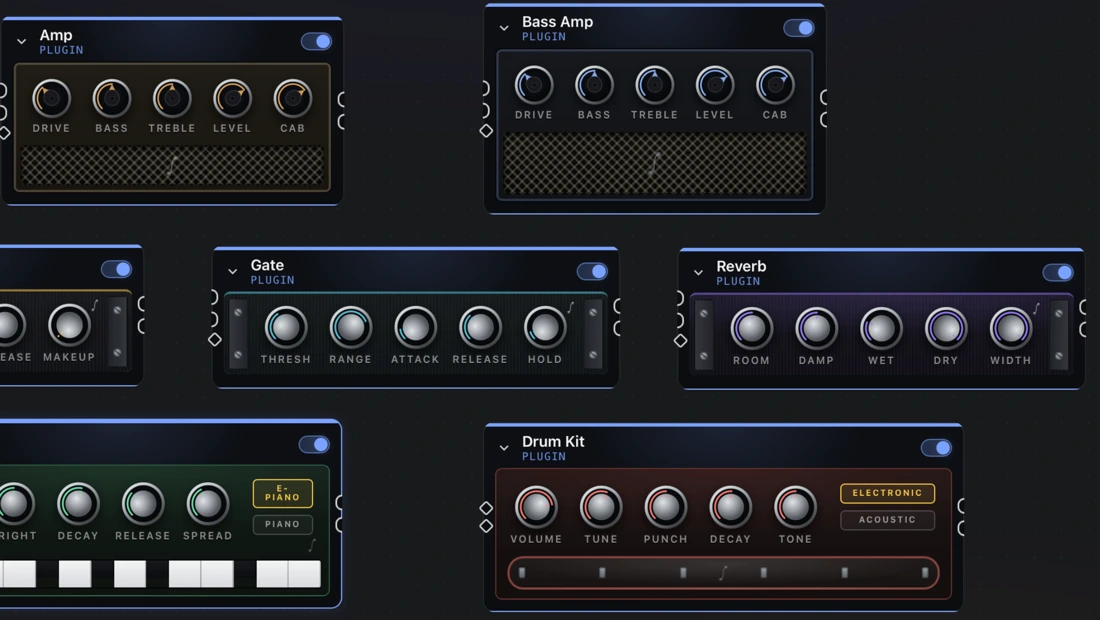
Seven built-in processors and your plugins, drawn as real gear and wired together on one canvas. The rack, the pedalboard and the cables now fit in a laptop bag.

Try it on your rig
The Wiring canvas up close: the built-in amp, bass amp, gate, reverb, keys and drum kit drawn as hardware with lit knobs

Yours to keep

Pay once. Play forever.

54releases since July. Every one free to 1.x owners.

No subscription and no account. One activation, then Stagewright runs fully offline, with no license server in your audio path. The thing you play live with should be yours.

Own it from $99

Founders pricing until January 1, 2027. Every 1.x update included.

DAW Bridge

Record the rig in any DAW.

A free plugin that records this rig into any DAW: Logic Pro, LUNA, Cubase, Ableton Live, Reaper or Pro Tools. A rig can send up to 8 separate streams at once, each stereo, each landing on its own DAW track, so you record the full mix or split out stems in a single pass.

  • A Bridge Out card on the Wiring canvas, wired from the master bus with its inspector open

    Send one stream, or eight

    Add a Bridge Out card on the Wiring canvas for each stem you want to send: your master, a rack, a submix. Number each card, and up to eight streams leave the rig at once. Bypass a card to stop that stream.

  • The Stagewright Bridge plugin window, connected to a rig, with its source picker listing a discovered rig by name

    Record on an instrument track

    Load Stagewright Bridge Receiver on an instrument track and pick the rig and the stream number. Its output is the track, so it records, freezes and bounces cleanly. On the same Mac it connects with nothing to configure; on another Mac it finds rigs by name and asks for the rig's Remote password.
  • Two plugins install together: Stagewright Bridge Receiver, an instrument and the one to reach for, and Stagewright Bridge, an effect for insert use. Both are Audio Unit and VST3, universal on Apple Silicon and Intel, macOS 11 or later.
  • Prefer the Receiver on an instrument track, where the plugin's output is the track and records. An insert effect can sit after the record tap in some hosts, like LUNA and Logic: fine for monitoring, but it will not record to its own track.
  • Every stream is stereo, at whatever sample rate your session runs at. Up to 8 streams leave one rig, the same on both tiers.
  • Your licence activates Stagewright on one Mac. That rig can then stream to up to 4 other Macs running a DAW, 16 on Studio. Counted per machine, not per track: one DAW taking all eight stems is one machine.
  • Local mode, with the DAW on the same Mac as Stagewright, has no limit and does not count toward it.
  • Network mode is LAN only, never over the internet, and needs a Remote password set on the rig. Without one, network sending stays off; local mode needs no password.
  • Updates are manual. The plugin warns you when it is older than the rig, and you install the new one yourself.
Download the DAW Bridge pluginRead the DAW Bridge guide

Free, and always free. It installs and loads anywhere, but produces nothing without a licensed Stagewright as its source.

Already bundled with Stagewright, in the app under Help ▸ Install DAW Bridge Plugin… and inside the disk image. Download it here to install on a separate DAW machine.

Minimum requirements

Operating system
macOS 11 (Big Sur) or later. A Windows version is planned.
Mac
Any Apple Silicon or Intel Mac. A native build for each, no Rosetta.
Disk space
Under 100 MB. Your plugins stay wherever they already live.
Audio hardware
Any Core Audio device, from built-in audio to a multi-channel USB interface.
Internet
Only for the one-time license activation. Stagewright runs fully offline after that.

Be first on stage with it.

Try it free for 30 days on your own rig, or buy now with Founders pricing and get your license key by email in minutes.