

Plugins
Every plugin, its version and its state
Install plugins from the marketplace, see which are running, update them, and set each one up from a form built from its own settings.
Open source · MIT · Free
OpenBridge is the bridge between your devices and Apple Home. It brings in what the Home app cannot reach on its own, through Homebridge plugins, native plugins and Matter, all on your own network. Then it draws your house with every device live on it.
One bridge
Pair it once with the Home app. Every device it brings shows up in Apple Home, Siri and your automations.
Your plugins
Homebridge plugins run beside native OpenBridge plugins.
Local first
Runs on your own network. No cloud relay, no accounts. The only thing it reports is an anonymous install count, and you can switch it off.
Free
MIT licensed. No paid tier and nothing held back.
How it works
Add your devices
Install a plugin for what you have: Shelly, Tuya, WiZ, cameras, Matter devices, or any of the Homebridge plugins people already use.
Pair the bridge once
Scan OpenBridge's QR code in the Home app. Every device it brings appears in Apple Home, ready for Siri, scenes and automations.
Choose what Apple Home sees
Hide a device from Apple Home, or show a relay as the light it really drives. The bridge keeps every reading either way.
Home
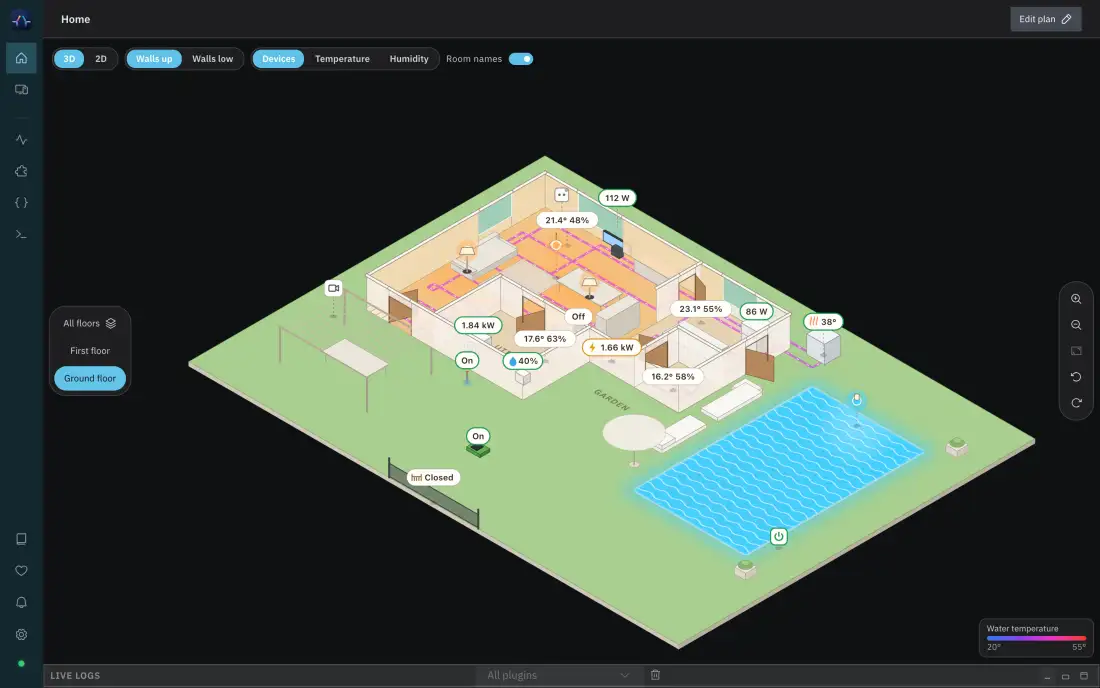
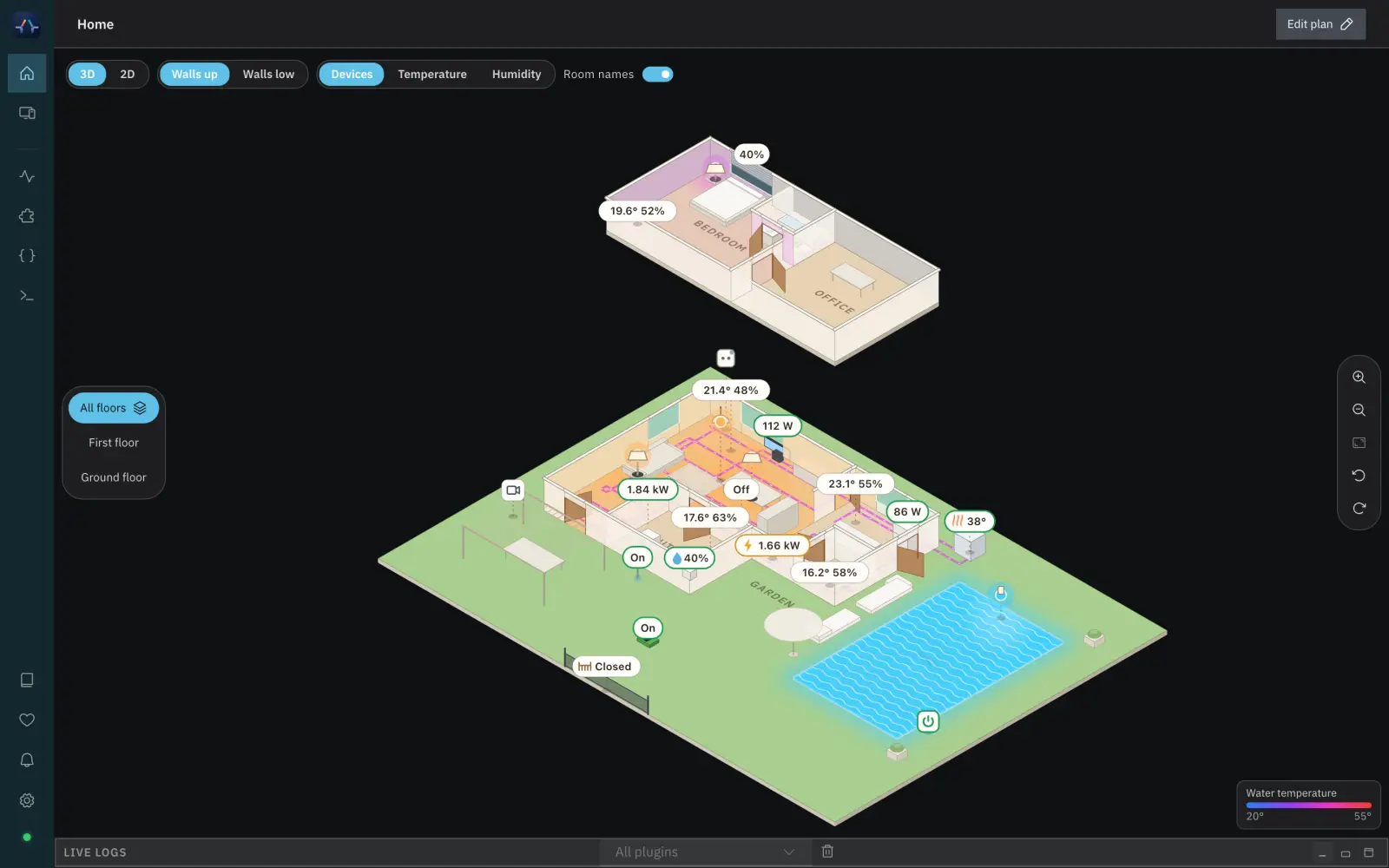
A lamp that is on lights its room in its own colour and brightness. Heating circuits run under the floors, coloured by water temperature, and flow while the pump runs. Appliances show what they draw.
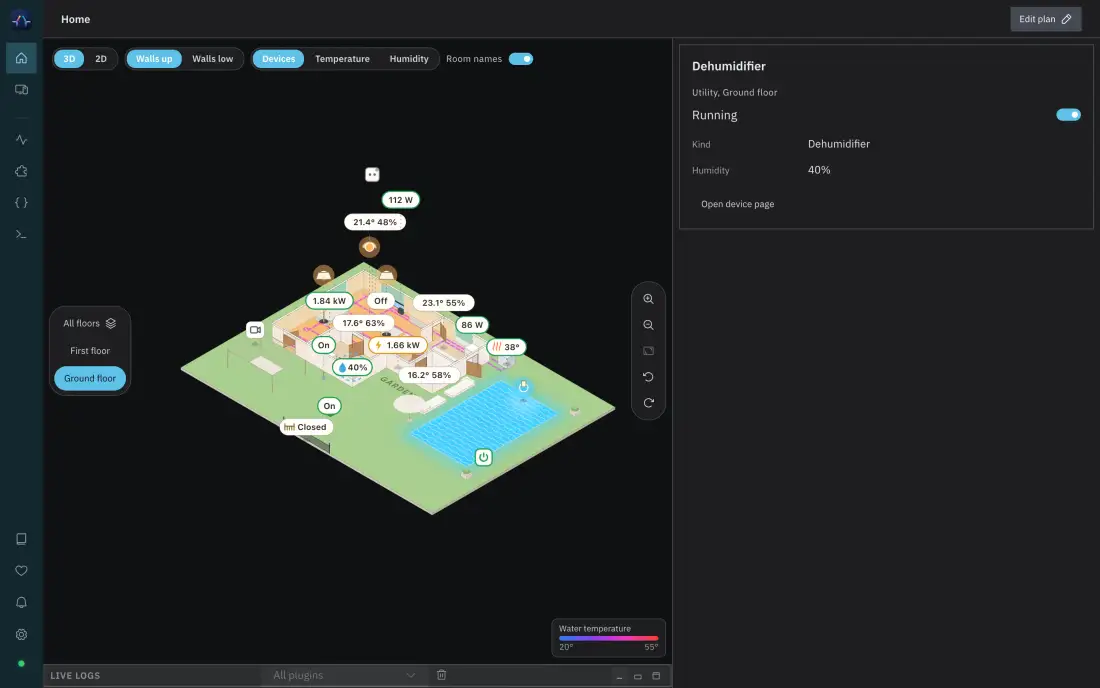
Tap a device and its controls open beside the house. Tapping a light switches it, and anything that could surprise you, like a gate, asks first.
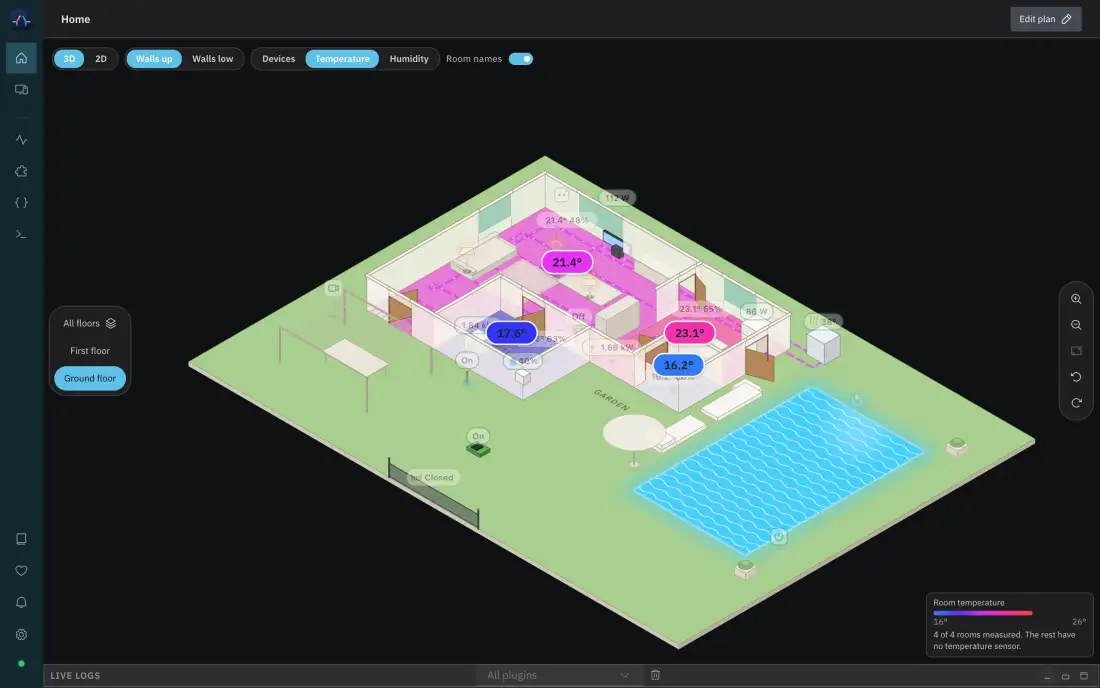
Switch to Temperature or Humidity and each room takes the colour of the sensor standing in it, with its reading over the room.
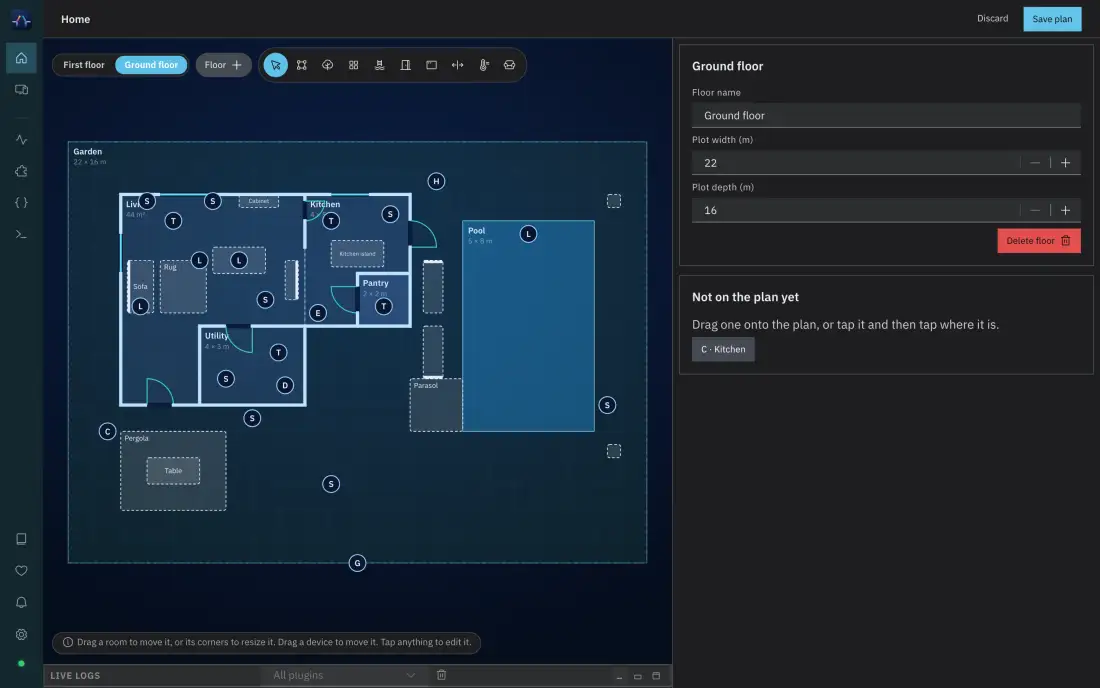
Draw rooms, not walls. Add doors, windows, radiators, a pool and plain furniture, then drag each device to where it is.
Behind the bridge
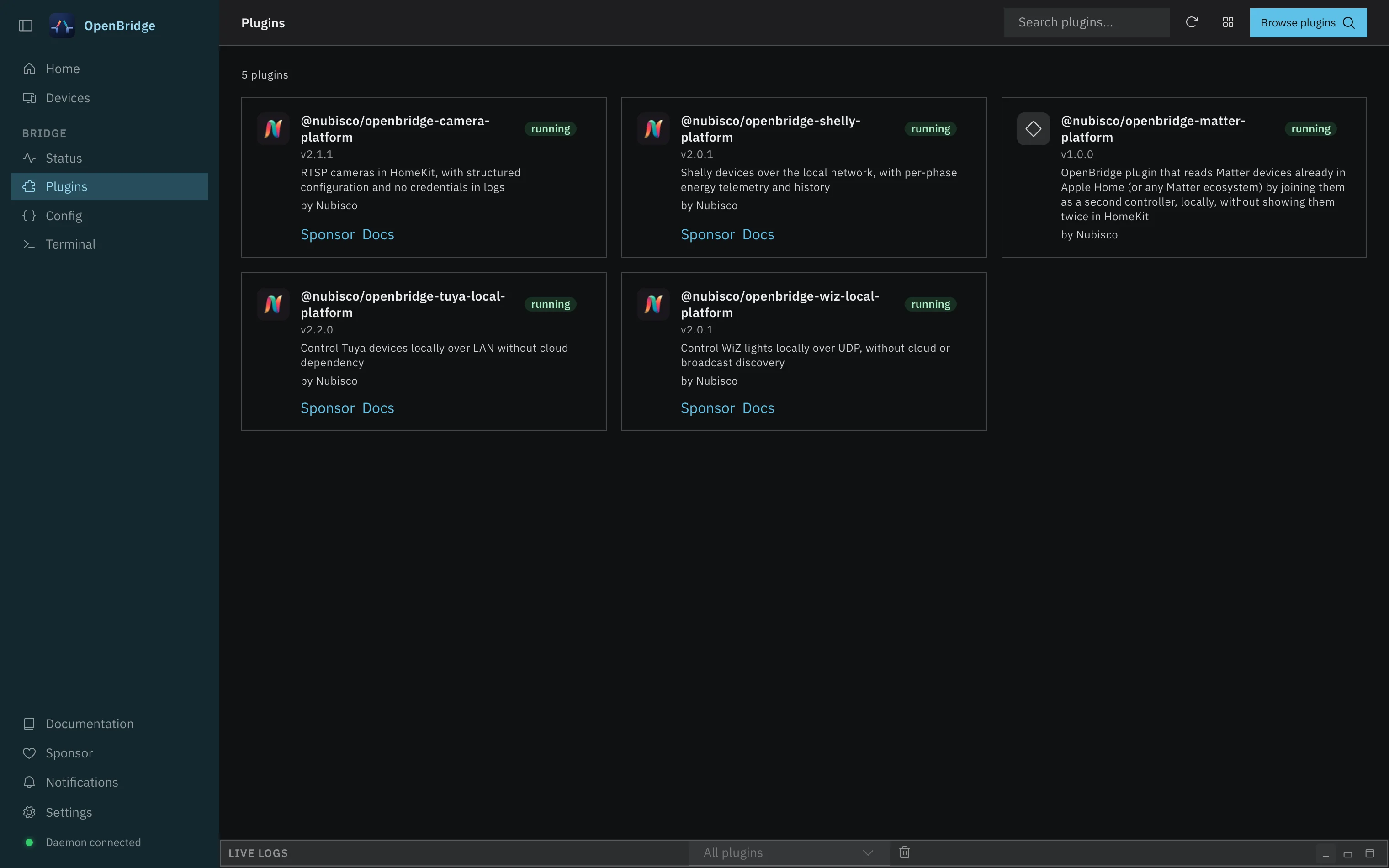
Plugins
Install plugins from the marketplace, see which are running, update them, and set each one up from a form built from its own settings.
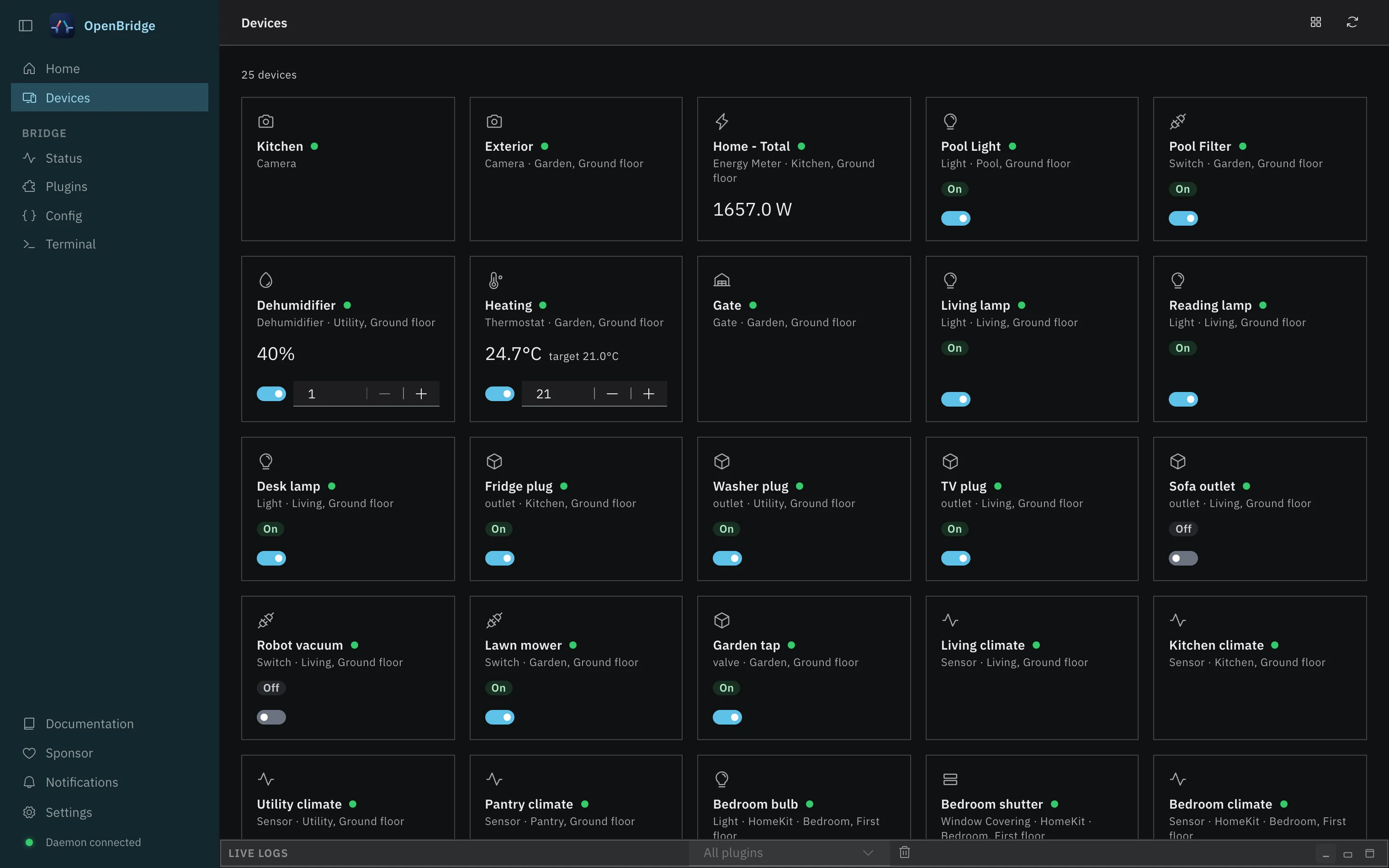
Devices
Every device the plugins bring in, as a card with its room, its live reading and its controls. Rename it, choose how Apple Home shows it, or keep it out of Apple Home.
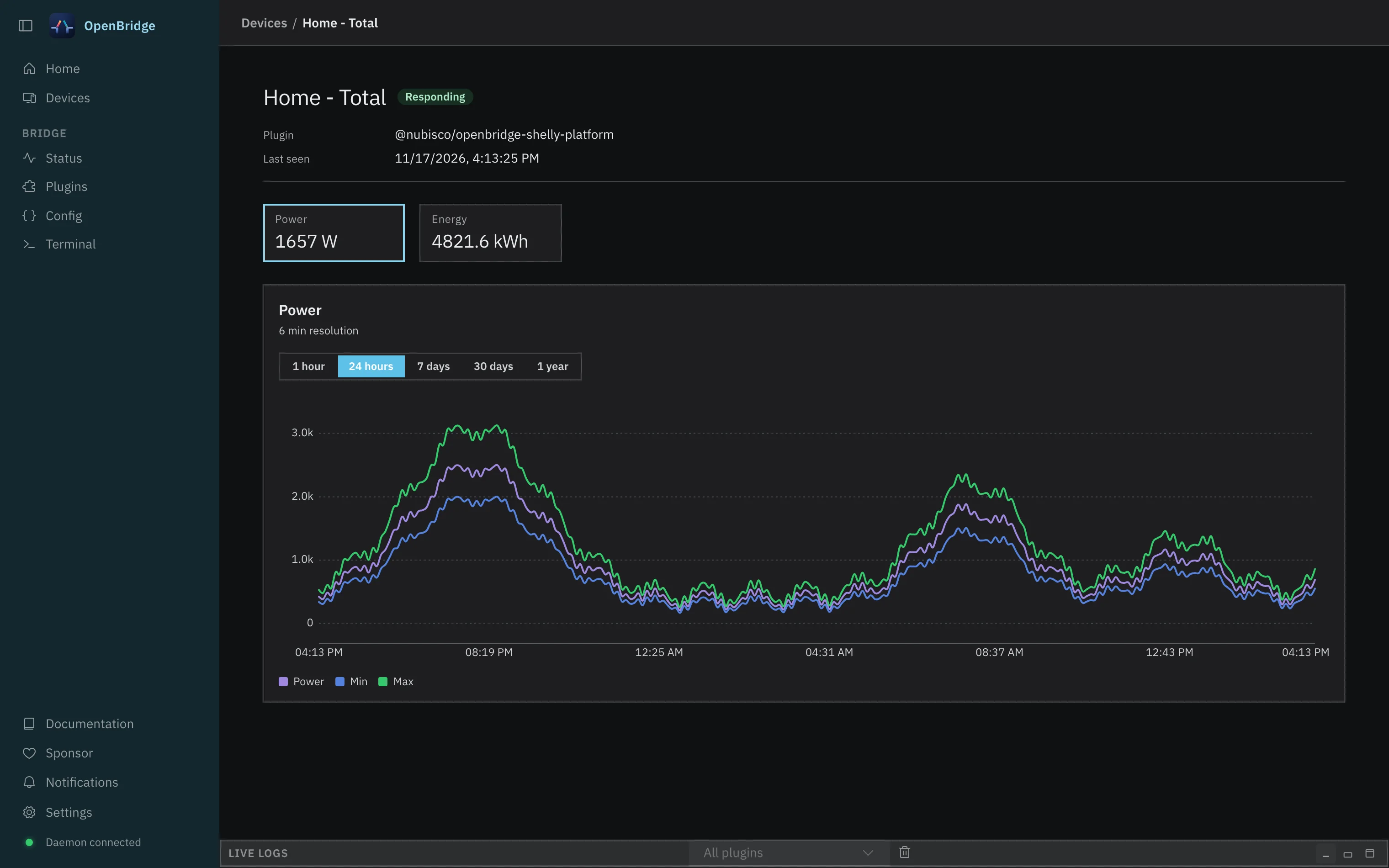
History
Each device keeps its history on your own bridge: power, energy, temperature, humidity. Look back an hour, a day, a week or a year, with the peaks kept, not averaged away.
Ask Claude about your home
OpenBridge speaks the Model Context Protocol, so Claude and other AI agents can read your devices, their history and the house plan. Ask how much energy the house used this week, or when the gate last opened. Access is read only unless you allow control, and it stays off until you turn it on.
Works with what you have
Every device appears in the Home app, with Siri, scenes and automations. You choose, device by device, what Apple Home sees.
Run Homebridge platform plugins as they are, installed from npm and set up from a form built from their own settings.
Read Matter devices already in Apple Home by joining them as a second controller, locally, without showing them twice.
See a camera's live picture on Home and on its device page, streamed only while you watch.
Native plugins talk to them directly on your network: energy meters, heat pumps, gates, switches and lamps.
A config editor that checks your settings, live logs, a terminal and a full HTTP API. Everything the UI does, your scripts can do.
Install
OpenBridge needs Node.js 22 or newer. Install it from npm, run openbridge, open port 8582 in a browser and scan the QR code with the Home app. Every way to install, step by step.
npm install -g @nubisco/openbridge
openbridgeFAQ
No, it works for it. Apple Home stays where you control your home and run your automations. OpenBridge is the bridge that brings more devices into it, and the place to see the whole house at once.
No. OpenBridge is an independent project by Nubisco, and is not affiliated with, endorsed by or certified by Apple. Apple, Apple Home, HomeKit and Siri are trademarks of Apple Inc., registered in the U.S. and other countries.
Homebridge platform plugins run through a compatibility layer, and most work unchanged. The compatibility guide in the documentation lists what is supported.
Yes. Install the same plugins in OpenBridge and copy each plugin's settings across. The bridge pairs with the Home app as a new accessory.
No. OpenBridge is an independent, MIT-licensed project built by Nubisco. We're grateful for the Homebridge ecosystem and contribute upstream where it makes sense.
GitHub issues for bugs and feature requests. The README has links to the community channels.